



In a nutshell: Mindscape published Mario’s Game Gallery, a 1995 PC game created by Presage Software. It features Mario as the host of five classic tabletop games—Checkers, Go Fish, Backgammon, Dominoes, and Yacht. Being one of the earliest games to have Charles Martinet as Mario’s voice actor, it holds historical significance.
Mario is a byword for sports games, kart racing, and platforming. But back in 1995, Nintendo took the franchise somewhere unexpected: a collection of tabletop classics hosted by the famed plumber himself. Although Mario’s Game Gallery isn’t the first game that fans discuss, its significance in Mario history is deeper than it might first seem.
This post covers everything you need to know about Mario’s Game Gallery—what it is, how it plays, why it matters, and where it fits in the broader Mario gaming timeline. You’re in the right place if you’ve been looking for the Mario game gallery rom or just want to learn more about this strangely endearing aspect of Nintendo history.
What Is Mario’s Game Gallery?
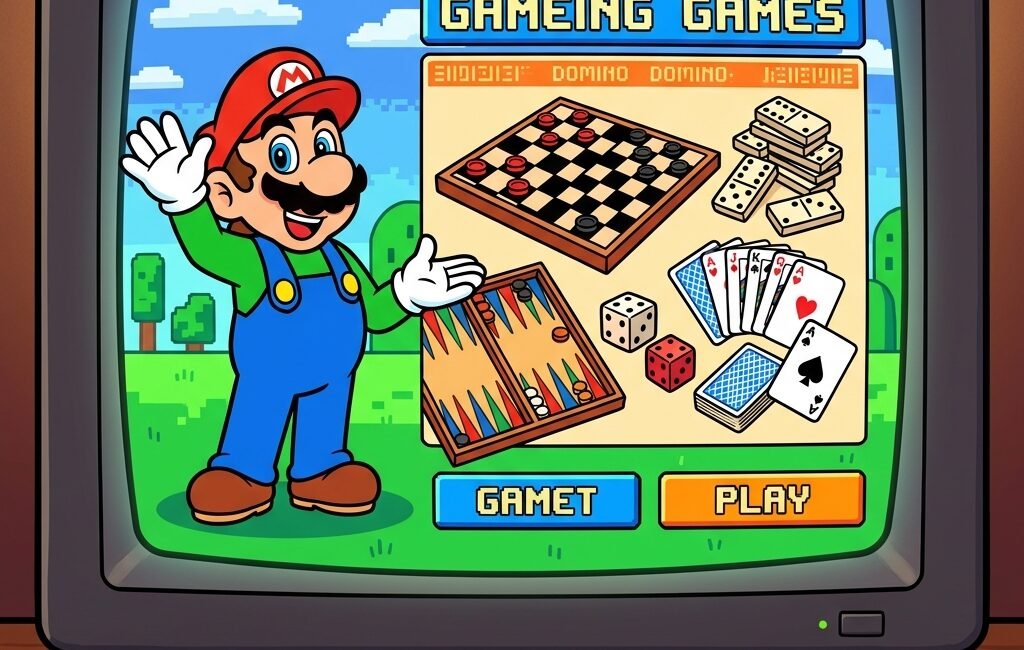
Mario’s Game Gallery is a 1995 PC game developed by Presage Software and published by Mindscape. Rather than a traditional Mario action game, it’s a digital compilation of five classic tabletop and card games, all hosted by Mario himself. The five games included are:
Checkers
Go Fish
Backgammon
Dominoes
Yacht (a dice game similar to Yahtzee)
The concept was aimed primarily at younger players and families, positioning Mario as a friendly guide and opponent across each of these time-tested games. Players could choose their difficulty level and compete directly against a Mario-controlled opponent on screen.
The game was released for both Windows and Mac, making it one of the few Mario titles to land on personal computers during that era—a detail that contributes to its collector appeal today.
Why Is Mario’s Game Gallery Historically Significant?
Is Mario’s Game Gallery the first game to feature Charles Martinet as Mario?
Yes—and that alone earns it a permanent place in Nintendo history.
Charles Martinet, the voice actor who would go on to define Mario’s personality across decades of games, made one of his earliest appearances as Mario in this title. Martinet’s warm, enthusiastic delivery—”It’s-a me, Mario!”—became the gold standard for the character. While the exact timeline of Martinet’s first voiceover work as Mario has been discussed across various fan archives, Mario’s Game Gallery is consistently cited as one of his earliest credited performances in the role.
That context reframes what might otherwise seem like a minor spin-off. Mario’s Game Gallery is a truly significant artifact for fans of Nintendo lore or voice acting history.
How does Mario’s Game Gallery fit into the broader Mario gaming timeline?
By 1995, the Mario franchise had already produced landmark titles—Super Mario Bros. (1985), Super Mario World (1990), and Super Mario Kart (1992) among them. The mid-1990s were also a period of experimentation for Nintendo, with the brand extending into educational software, hotel gaming kiosks, and PC titles aimed at non-traditional gaming audiences.
Mario’s Game Gallery is part of that experimental trend. At a time when console and PC gaming occupied very different cultural spaces, it was one of several PC releases that sought to bring Nintendo characters to home computers. Other titles from this era, like Mario Teaches Typing (1991) and Mario Is Missing! (1992), shared a similar educational or family-friendly DNA.
Together, these releases painted Mario as more than an action hero—they positioned him as an accessible, multi-purpose character capable of anchoring any type of interactive experience.
Mario’s Game Gallery: A Full Gameplay Review
What are the five games included in Mario’s Game Gallery, and how do they play?
Each of the five games in Mario’s Game Gallery is a faithful digital adaptation of its real-world counterpart. Here’s a breakdown of each:
Checkers
The classic two-player strategy game plays exactly as expected. You move pieces diagonally across the board, capture opponents by jumping over them, and aim to king your pieces by reaching the far side. Mario serves as your animated opponent, reacting to good and bad moves with voice lines and expressions.
Go Fish
Younger players will enjoy this card-matching game. You ask Mario for specific card ranks, collect sets of four, and try to build the most complete hand. Go Fish is the most casual of the five games and works well as an introduction to the collection.
Backgammon
The most complex game in the set. In backgammon, you use dice rolls to move pieces around a board, block your opponent, and bear off your pieces first. For players unfamiliar with backgammon, the in-game rules and tutorials help, though the learning curve is steeper than the other four games.
Dominoes
Players match tiles end-to-end based on their pip values. The dominoes game is a good compromise between the complexity of Backgammon and the ease of Go Fish because it is quick and easy to learn.
Yacht
A dice-rolling game in the same family as Yahtzee. Players roll five dice up to three times per turn, trying to achieve specific combinations—three of a kind, a full house, a straight, and so on—for maximum points. Yacht adds a satisfying layer of strategy to the dice luck, and it’s easy to see why it became a fan favorite within the collection.
How does Mario interact with players during gameplay?
Mario’s in-game behavior is one of the collection’s most endearing qualities. Rather than sitting silently while you take your turn, he reacts dynamically—cheering when he draws a good card, groaning when he loses a piece, and offering occasional commentary throughout. This reactivity, combined with Charles Martinet’s voice performance, gives Mario a personality that elevates what could have been a dry digital board game collection.
The character animations are simple but expressive. Mario laughs, shrugs, and waves in ways that are genuinely lighthearted rather than forced. For a 1995 PC title aimed at families, the interactivity is impressive.
How does the difficulty system work in Mario’s Game Gallery?
The game offers multiple difficulty settings across each of the five games. Easier settings make Mario a more docile opponent—he’ll lose opportunities, play suboptimally, and overall allow younger or novice players feel competitive. His strategic play is significantly enhanced by higher difficulty settings, especially in Backgammon and Checkers, where the AI’s decision-making becomes much more acute.
This tiered difficulty structure makes Mario’s Game Gallery genuinely replayable. Experienced players of Checkers or Backgammon will find a real challenge at the higher settings, while beginners can build confidence at the lower tiers.
Mario’s Game Gallery ROM: Availability and Compatibility Information
What platforms is Mario’s Game Gallery compatible with?
Mario’s Game Gallery was originally released for Windows and Macintosh operating systems in 1995. It was not released on any Nintendo console, which makes it unusual within the Mario catalog. The PC-only release means it never had a cartridge format—it was distributed on CD-ROM, which was the standard for home computing software at the time.
Can you play Mario’s Game Gallery ROM on modern systems?
Running a Mario’s Game Gallery ROM on current hardware involves some compatibility considerations. The game was built for legacy operating systems—specifically Windows 95-era environments—and will not run natively on Windows 10, Windows 11, or modern macOS versions.
To play the game today, most users turn to DOSBox or similar legacy PC emulators that can recreate the system environment the game originally required. The setup process involves configuring the emulator to match the game’s original hardware requirements, mounting the CD-ROM image, and adjusting settings for audio and display.
For Mac users, compatibility options are more limited, and additional configuration may be necessary depending on the emulation software used.
Is the Mario’s Game Gallery ROM widely available?
Numerous ROM archive websites and vintage gaming communities share the Mario game gallery rom. Because the game was a PC title distributed on CD-ROM rather than a console cartridge, the file format differs from typical ROM files associated with NES, SNES, or Game Boy titles. Users searching for the game will typically find it as a disc image file (.iso or .bin/.cue format) rather than a standard ROM file.
As with all retro software, users should research the legal status of downloading and using old PC game files in their jurisdiction before doing so.
What Makes Mario’s Game Gallery Worth Revisiting?
Of course, nostalgia is a factor. For players who grew up with a family PC in the mid-1990s, the game carries a specific kind of warmth—Saturday afternoons, a slow modem humming in the background, and Mario’s cheerful voice filling a living room.
But the game holds up on its own merits too. The five tabletop games it offers are classics for good reason. Checkers and Backgammon offer genuine strategic depth. Yacht is endlessly replayable. Dominoes and Go Fish are perfect for short sessions. Wrapped in Mario’s personality and Charles Martinet’s voice work, the collection feels cohesive and polished for its era.
It also serves as a useful reminder that the Mario brand has always been broader than any single genre. Nintendo established one of gaming’s most known characters by placing him in instructional software, racing games, party collections, and tabletop adaptations long before those genres were expected outputs from a big franchise.
The Legacy of Mario’s Game Gallery in Retro Gaming Culture
Mario’s Game Gallery occupies a specific niche in retro gaming communities—beloved by those who remember it, largely unknown to those who don’t. It rarely appears in “best Mario games” lists, and it doesn’t carry the cultural weight of the mainline platformers. But among collectors, voice acting historians, and fans of obscure Nintendo history, it commands genuine attention.
Charles Martinet’s voice work alone guarantees the game a footnote in any serious Mario retrospective. The kind of detail that makes retro gaming research so fulfilling is the fact that one of the most cherished gaming performances was initially offered in a tabletop game collection for Windows 95.
Is Mario’s Game Gallery Worth Playing Today?
For casual players seeking a modern gaming experience, the answer is probably no. The graphics are dated, the interface is clunky by today’s standards, and the games themselves are available in far more polished digital formats elsewhere.
For retro gaming enthusiasts, Mario historians, and fans of Charles Martinet’s voice work, the answer is a clear yes. Mario’s Game Gallery is a genuine piece of Nintendo history—small in scope, but significant in context. Playing it today means stepping into a specific moment in time when Nintendo was figuring out what Mario could be beyond the Mushroom Kingdom, and finding something that, thirty years later, still manages to charm.
Frequently Asked Questions About Mario’s Game Gallery
What is Mario’s Game Gallery?
Mario’s Game Gallery is a 1995 PC game developed by Presage Software and published by Mindscape. It features Mario hosting five classic tabletop games: Checkers, Go Fish, Backgammon, Dominoes, and Yacht. The game was released for Windows and Macintosh.
Why is Mario’s Game Gallery historically important?
Mario’s Game Gallery is one of the earliest games to feature Charles Martinet as the voice of Mario. Martinet’s performance in this title helped establish the vocal personality that would define the character for decades across hundreds of Nintendo games.
What platforms was Mario’s Game Gallery released on?
The game was released exclusively on PC—specifically for Windows and Macintosh systems. It was not available on any Nintendo console and was distributed on CD-ROM.
How do I play the Mario’s Game Gallery ROM on a modern computer?
Because the game was intended for Windows 95-era systems, it won’t operate natively on contemporary operating systems. Most players use DOSBox or similar legacy PC emulators to recreate the original system environment. The game is typically found as a disc image file (.iso or .bin/.cue) rather than a standard cartridge ROM format.
What games are included in Mario’s Game Gallery?
The collection comprises five games: Checkers, Go Fish, Backgammon, Dominoes, and Yacht (a dice game similar to Yahtzee). Each game can be played against Mario at varying difficulty levels.
Is Mario’s Game Gallery a good game for kids?
Yes—it was designed with younger players and families in mind. Games like Go Fish and Dominoes are simple enough for children, while Checkers and Backgammon offer more strategic depth for older players. Mario’s animated reactions and voice commentary add a layer of personality that younger audiences respond well to.